Hiển thị các bài đăng có nhãn 2. Flash. Hiển thị tất cả bài đăng

Tuyển chọn những Web 3D Flash hay


Flash và 3D luôn là sự thích thú của mình. Mình biết rất nhiều bạn phát triển Web không ưa gì flash vì nó có một số nhược điểm như nặng, khó cache Google trong việc tìm kiếm, tốn pin điện thoại ...
Song nếu bạn xem việc kết hợp công nghệ đồ họa 3D và công cụ Flash từ những sản phẩm sau chắc hẳn sẽ có nhiều bạn sẽ tìm ra điểm thích từ anh bạn flash này.
Theo mình Web 3D Flash thì chỉ phù hợp với những công ty muốn trình bày các sản phẩm thì rất hợp lý. Vì nó có thể thể hiện được nhiều cái tôi độc đáo, cũng như việc sáng tạo trong cách quản cáo sản phẩm của mình.
Nếu bạn có nhu cầu tạo các website như thế hãy liên hệ với nhóm mình qua yahoo share3dvn.
Mời các bạn xem qua vài web site mình chọn:

1. Markez Models


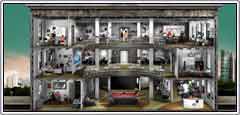
2. SimCity


3. Real Casual

Tutorials dạy làm slideshows, gallery chuyên nghiệp với flash

Mình đang làm một vài cái gallery cho mấy website bằng flash nên có tìm kiếm trên mạng được vài tutorials hay hay dạy làm các gallery này. Chưa kịp dịch ra tiếng Việt trong lần viết bài này để các bạn đọc bằng tiếng Việt, song mình thấy nó hướng dẫn cũng khá đơn giản và dể hiểu, mọi người cùng tham khảo qua xem có gì thú vị không nhé!

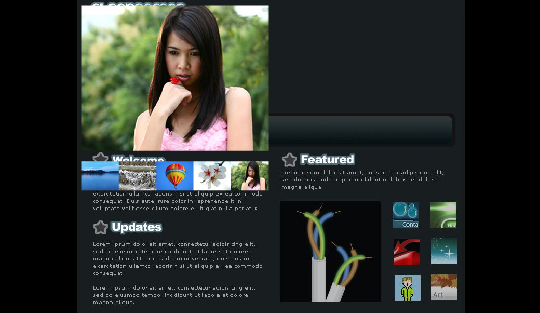
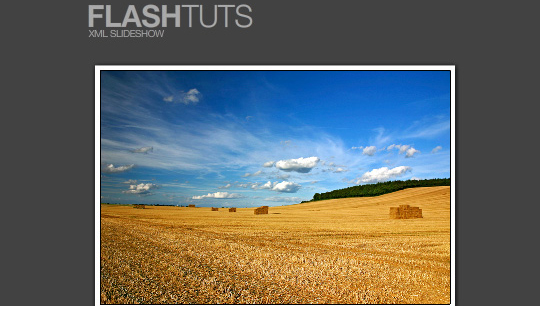
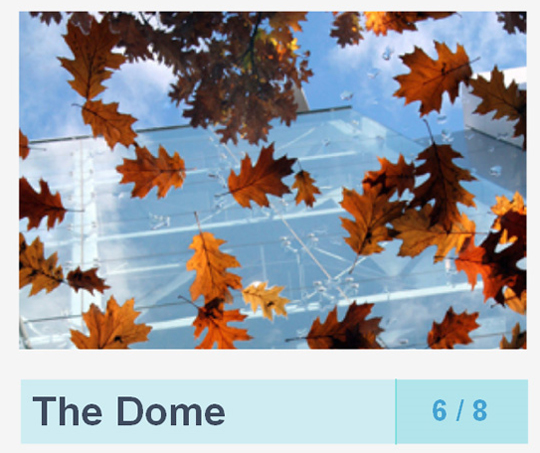
Các bạn chú ý nhìn hình minh họa để chọn tutorials mình muốn xem nhé!

1. Build a Dynamic Accordion Menu in Flash CS4 with ActionScript 3.0 and XML
View Demo


2.Flash gallery
View Demo


3.Create a Shuffle Gallery in Flash Using XML and ActionScript 3.0
View Demo


4.AS3 Photo gallery
View Demo


5.Build a Dynamic Flash Gallery with Slider Control
View Demo


6.AS3 Photo Viewer Tutorial


7. Xml Slide Show V3 tutorial
View Demo


8.Building a 3D album with FIVe3D and TweenLite


9.Create a Flash Actionscript 3.0 Slideshow with XML
View Demo


10.Papervision 3D Flash Gallery Tutorial
View Demo


11.Flash Image Gallery
View Demo


12.Learn How-to Create Flash Components using Actionscript 3.0, XML and Flickr API
View Demo


13.Photo Gallery Using XML and Flash
View Demo


14.Mac Style PhotoFlip Gallery
View Demo


15.Create a Dynamic Slideshow with ActionScript 3.0 and XML
View Demo


16. 3D Grid – Flash Photo Gallery using Papervision3D and XML
View Demo


17. Dynamic Slideshow
View Demo


18.Creating an XML Slideshow in Flash
View Demo


19. Creating an XML Slideshow in Flash Using AS3
View Demo


20. FlashMo Stack Photo Gallery
View Demo


21. Dynamic Flash Slideshow
View Demo


22. Create free xml flash slideshow with free xml template
View Demo


23. Create an intelligent XML image Gallery & Slideshow in Flash CS4 (+PHP) – Part I/II
View Demo


24. Make a Featured Content Slider for Your Site
View Demo


25. Simulating PicLens with Flex and Away3D – Part 1


26. Flash Slideshow Image Gallery


27. Flash tutorial xml slideshow and thumbnail


28. Flash slideshow with fade transition


29. Image Gallery Tutorial (Example 1)


Chúc các bạn có được thêm một kinh nghiệm thú vị nào dó khi xem qua những tutorials này!

Hướng dẫn tạo Paronama chi tiết

Đây là bộ video mình thấy khá thú vị cho các bạn đang muốn nghiên cứu về cách chụp ảnh paronama và tạo một file flash player cho lên web. Mong rằng xem song sẽ có nhiều bạn có thêm nhiều ý tưởng thú vị cho riêng mình.

Phần 1:

Phần 2:

Phần 3:

Phần 4:

Phần 5:

Phần 6:

Phần 7:

Phần 8:

Chúc các bạn thực hiện thành công.

TOP 10 WEBSITE ĐẸP NHẤT HIỆN TẠI 2011

Chắc bạn đang thắc mắc hiện tại đâu là top web flash của năm 2011 ? Dựa theo các tiêu chí về  nghệ thuật thị giác, tích hợp âm thanh, dễ sử dụng, tính độc đáo. Trang ww.ebizmba.com đưa ra cách chọn như sau [Cập nhật: ngày 01 tháng 5 năm 2011].  

1 | We Choose The Moon


Không phải ngẫu nhiên mà chúng tôi chọn nó, bạn hãy thử vào website, tôi tin các bạn sẽ đồng tình với tôi khi ghi nhận chúng.


2 | Moodstream | Getty Images

Không còn giữ được vị trí đầu như năm 2010 nhưng không ai có thể phủ nhận trang web này. Bạn hãy dạo qua website này để tận hưởng cám giác tuyệt với  trong cách trình bày rất sáng tạo. Đây là một trang web mang lại cho bạn nhiều cảm giác, cung cấp một công cụ động được thiết kế để giúp cho ta có các loại nước chảy sáng tạo. Chỉ cần tinh chỉnh thanh trượt là có thể điều chỉnh một dòng của hình ảnh, thước phim với cảm hứng sáng tạo được truyền từ âm thanh.


3 | Monoface


Monoface là một cơ quan quảng cáo có trụ sở tại Minneapolis, phương châm của họ là "đơn giản là tốt hơn." Các "Mono" bề mặt trang web của cuộc sống lên đến phương châm đó bằng việc đưa du khách với một niềm vui và ứng dụng Flash đơn giản.


4 | Waterlife


Waterlife là một giới thiệu cho bộ phim tài liệu cùng tên của khán giả của mình mà cung cấp một bản xem trước tuyệt vời của điện ảnh đẹp và phong phú các tình tiết kể chuyện trong phim. Các thiên tài thực sự của trang webcho ta tìm thấy từ trong menu chất lỏng của nó mà nhớ lại những chuyển động nhẹ nhàng của hồ.


5 | Louis Vuitton - Greatness


Louis Vuitton một trang web cho phép nhiều người sử dụng cám giác đến mặt đối mặt với ba của ngôi sao bóng đá vĩ đại nhất; Pele, Diego Maradana, Zinedine Zidane. Thông qua kinh nghiệm của người hâm mộ có thể tham gia vào một cuộc phỏng vấn một đối một với người anh hùng của họ mà chắc chắn sẽ mở rộng sự đánh giá của bạn về tài năng của họ.


6 | Infinite OZ


Vào OZ một sự hợp tác nghệ thuật sử dụng Flash để mang đến cho cuộc sống thế giới của những sự kiện loạt phim Sci-Fi Tin Man. Du khách được đưa vào một cuộc hành trình tuyệt vời thông qua việc trực quan nhiều địa điểm tuyệt vời tạo nên  thành phố huyền thoại  thể làm cho bạn muốn bị lạc ở đó mãi mãi.


7 | Get The Glass


Được thiết kế để khuyến khích tiêu thụ sữa tăng lên bằng cách mời khách tham gia vào một trò chơi giải trí comically dựa trên Flash mà mục tiêu là để Nhận các Glass - của sữa trong khóa học. Các thiết kế hiện hành xuất hiện vào cuối năm 2007.


8 | Marc Ecko


MarcEcko.com là một ví dụ tuyệt vời của việc sử dụng các khả năng rộng lớn của Flash để phản ánh chính xác các đặc tính của một thương hiệu của người tiêu dùng trong vòng một trang web. Ngay cả du khách không quen thuộc với các thương hiệu Ecko sẽ cảm thấy họ hiểu nghệ thuật và triết lý nó tượng trưng trong vòng vài phút của du lịch các trang web.


9 | AgencyNet Interactive

 
Đây là một studio thiết kế có trụ sở tại New York City, NY và Fort Lauderdale, FL có thiết kế trang web hiện hành xuất hiện trong tháng một năm 2010. Hoàn toàn cảnh quan tuyệt đẹp trang web! Chiều sâu và chức năng của trang web vượt xa bất kỳ trang web Flash chúng tôi đã từng gặp


10 | Dave Werner's Portfolio

Dave Werner  sử dụng kỹ năng Flash của mình không chỉ để thể hiện sản phẩm của mình mà qua việc sử dụng video ông còn cung cấp cho du khách một cảm giác câu chuyện cá nhân của mình mà tìm để cho tiếng nói mạnh mẽ hơn và bối cảnh để làm việc đặc trưng của mình. Phiên bản hiện tại của OkayDave.com đã sống vào giữa năm 2006.


Chúc các bạn tìm được nhiều điều thú vị

CÁCH VIẾT CLASS TRONG FLASH

  1. Class không soạn trong Actions panel mà viết trong 1 file riêng .as có tên file trùng với tên class (class UserClass {...} trong file UserClass.as)
  2. Cấu trúc chung 1 file class là:
    Trong file myHello.as Trong file fla
    Tên lớp (trùng với tên file)
    Khai báo biến (lần lượt public, private)
    Hàm conctructor (có tên trùng với tên lớp) là hàm đặc biệt khởi động các thành viên dữ liệu của 1 instance của lớp
    Các phương thức (methods)


    class myHello {
    private var myText:String = "Hello world";
    function myHello(){
    init();
    }
    private function init(){
    trace(myText);
    }
    }
    import myHello;
    var greet:myHello = new myHello();

    Kết quả biên dịch (trong output panel)


    Hello world

    Biến và hàm có thể là private hay public: private chỉ cho phép các hàm thành viên trong lớp truy cập còn public thì sử dụng chung cho các hàm khác lớp...

Person

Person.as
class Person
{
var age:Number;
var name:String;

function Person (myName:String, myAge:Number)
{
name = myName;
age = myAge;
}

function showInfo():String
{
return("Hello, my name is " + name + " and I'm " + age + " years old.");
}
}
createPerson.fla
var person_1:Person = new Person("Nate", 32);
var person_2:Person = new Person("Jane", 28);
trace(person_1.showInfo());
trace(person_2.showInfo());
Output
Hello, my name is Nate and I'm 32 years old.
Hello, my name is Jane and I'm 28 years old.

- Hàm constructor ở ví dụ dưới có 2 tham số (parameters) là myName và myAge được copy vào 2 biến instance là name và age
Class và instances
Trong lập trình Hướng Đối tượng (object-oriented program) thì class định nghĩa 1 kiểu object. Class mô tả properties (data) và behavior (methods) cho 1 object, khá giống với 1 sơ đồ nhà với các đặc tính xây dựng. Để sử dụng các properties và methods của 1 class nào đó, việc đầu tiên là tạo ra 1 instance you generally first create an instance of that class (except for classes that have static members). The relationship between an instance and its class is similar to the relationship between a house and its architectural blueprints.
Sử dụng file class (*.as): Dùng toán tử import như ví dụ file draw.as import draw;. Nếu file draw.as nằm ở trong thư mục con tên art thì import art.draw;
Đối với trường hợp built-in class thì k cần bước này
Tạo 1 đối tượng mới: Tạo 1 instance của 1 class cần toán tử new để gọi hàm constructor của class đó (hàm constructor có cùng tên với tên class). Instance tạo thành sẽ được gán cho 1 biến. Ví dụ như var song:Sound= new Sound(); //Tạo 1 instance của class Sound cho biến song
Đối với 1 vài trường hợp built-in class có class members (static members) k cần bước này Some built-in ActionScript classes have class members (or static members). Ví dụ như các properties của Math class đều là static nên muốn xác định số lớn nhất trong 2 số var largerNumber:Number = Math.max(10, 20);
Sử dụng properties và methods của object: Dùng toán tử dấu chấm (.) . Ví dụ sau dùng property length của Array class và method setVolume của Sound class
var my_array:Array = new Array("apples", "oranges", "bananas");
trace(my_array.length); // length is 3
var mySound:Sound = new Sound(this);
mySound.setVolume(50);
About class (static) members
Some built-in ActionScript classes have class members (or static members). Class members (properties and methods) are accessed or invoked on the class name, not on an instance of the class. Therefore, you don’t create an instance of the class to use those properties and methods.
For example, all the properties of the Math class are static. The following code invokes the max() method of the Math class to determine the larger of two numbers:
var largerNumber:Number = Math.max(10, 20);

All built-in Classes

http://flash-reference.icod.de/class-summary.html
Đối với các lớp lập sẵn trong Flash không cần dùng toán tử import khi tạo instance
Documentation for ActionScript classes includes syntax, usage information, and code samples for methods, properties, and event handlers and listeners that belong to a specific class in ActionScript (as opposed to global functions or properties). The classes are listed alphabetically and include new classes in Flash Player 8 that are found in the flash.* packages. If you are not sure to which class a certain method or property belongs, you can look it up in the Index.
Name Package Description
Accessibility Top Level The Accessibility class manages communication with screen readers.
arguments Top Level An arguments object is used to store and access a function's arguments.
Array Top Level The Array class lets you access and manipulate indexed arrays.
AsBroadcaster Top Level Provides event notification and listener management capabilities that you can add to user-defined objects.
BevelFilter flash.filters The BevelFilter class lets you add a bevel effect to a variety of objects in Flash.
BitmapData flash.display The BitmapData class lets you create arbitrarily sized transparent or opaque bitmap images and manipulate them in various ways at runtime.
BitmapFilter flash.filters The BitmapFilter base class for all image filter effects.
BlurFilter flash.filters The BlurFilter class lets you apply a blur visual effect to a variety of objects in Flash.
Boolean Top Level The Boolean class is a wrapper object with the same functionality as the standard JavaScript Boolean object.
Button Top Level All button symbols in a SWF file are instances of the Button object.
Camera Top Level The Camera class is primarily for use with Macromedia Flash Communication Server, but can be used in a limited way without the server.
capabilities System The Capabilities class determines the abilities of the system and player hosting a SWF file, which lets you tailor content for different formats.
Color Top Level Deprecated since Flash Player 8 — The Color class has been deprecated in favor of the flash.geom.ColorTransform class.
ColorMatrixFilter flash.filters The ColorMatrixFilter class lets you apply a 4 x 5 matrix transformation on the RGBA color and alpha values of every pixel on the input image to produce a result with a new set of RGBA color and alpha values.
ColorTransform flash.geom The ColorTransform class lets you mathematically adjust all of the color values in a movie clip.
ContextMenu Top Level The ContextMenu class provides runtime control over the items in the Flash Player context menu, which appears when a user right-clicks (Windows) or Control-clicks (Macintosh) on Flash Player.
ContextMenuItem Top Level The ContextMenuItem class allows you to create custom menu items to display in the Flash Player context menu.
ConvolutionFilter flash.filters The ConvolutionFilter class applies a matrix convolution filter effect.
CustomActions Top Level The methods of the CustomActions class allow a SWF file playing in the Flash authoring tool to manage any custom actions that are registered with the authoring tool.
Date Top Level The Date class lets you retrieve date and time values relative to universal time (Greenwich mean time, now called universal time or UTC) or relative to the operating system on which Flash Player is running.
DisplacementMapFilter flash.filters The DisplacementMapFilter class uses the pixel values from the specified BitmapData object (called the displacement map image) to perform a displacement of an object on the Stage, such as a MovieClip instance.
DropShadowFilter flash.filters The DropShadowFilter class lets you add a drop shadow to a variety of objects in Flash.
Error Top Level Contains information about an error that occurred in a script.
ExternalInterface flash.external The ExternalInterface class is the External API, an application programming interface that enables straightforward communication between ActionScript and the Flash Player container; for example, an HTML page with JavaScript, or a desktop application with Flash Player embedded.
FileReference flash.net The FileReference class provides a means to upload and download files between a user's computer and a server.
FileReferenceList flash.net The FileReferenceList class provides a means to let users select one or more files for uploading.
Function Top Level Both user-defined and built-in functions in ActionScript are represented by Function objects, which are instances of the Function class.
GlowFilter flash.filters The GlowFilter class lets you apply a glow effect to various objects in Flash.
GradientBevelFilter flash.filters The GradientBevelFilter class lets you apply a gradient bevel effect to various objects in Flash.
GradientGlowFilter flash.filters The GradientGlowFilter class lets you apply a gradient glow effect to a variety of objects in Flash.
IME System The IME class lets you directly manipulate the operating system's input method editor (IME) in the Flash Player application that is running on a client computer.
Key Top Level The Key class is a top-level class whose methods and properties you can use without a constructor.
LoadVars Top Level You can use the LoadVars class to obtain verification of successful data loading and to monitor download progress.
LocalConnection Top Level The LocalConnection class lets you develop SWF files that can send instructions to each other without the use of fscommand() or JavaScript.
Locale mx.lang The mx.lang.Locale class allows you to control how multilanguage text is displayed in a SWF file.
Math Top Level The Math class is a top-level class whose methods and properties you can use without using a constructor.
Matrix flash.geom The flash.geom.Matrix class represents a transformation matrix that determines how to map points from one coordinate space to another.
Microphone Top Level The Microphone class lets you capture audio from a microphone attached to the computer that is running Flash Player.
Mouse Top Level The Mouse class is a top-level class whose properties and methods you can access without using a constructor.
MovieClip Top Level The methods for the MovieClip class provide the same functionality as actions that target movie clips.
MovieClipLoader Top Level This class lets you implement listener callbacks that provide status information while SWF, JPEG, GIF, and PNG files are being loaded into movie clips.
NetConnection Top Level The NetConnection class provides the means to play back streaming FLV files from a local drive or HTTP address.
NetStream Top Level The NetStream class provides methods and properties for playing Flash Video (FLV) files from the local file system or an HTTP address.
Number Top Level The Number class is a simple wrapper object for the Number data type.
Object Top Level The Object class is at the root of the ActionScript class hierarchy.
Point flash.geom The Point class represents a location in a two-dimensional coordinate system, where x represents the horizontal axis and y represents the vertical axis.
PrintJob Top Level The PrintJob class lets you create content and print it to one or more pages.
Rectangle flash.geom The Rectangle class is used to create and modify Rectangle objects.
security System The System.security class contains methods that specify how SWF files in different domains can communicate with each other.
Selection Top Level The Selection class lets you set and control the text field in which the insertion point is located (that is, the field that has focus).
SharedObject Top Level The SharedObject class is used to read and store limited amounts of data on a user's computer.
Sound Top Level The Sound class lets you control sound in a movie.
Stage Top Level The Stage class is a top-level class whose methods, properties, and handlers you can access without using a constructor.
String Top Level The String class is a wrapper for the string primitive data type, and provides methods and properties that let you manipulate primitive string value types.
StyleSheet TextField The StyleSheet class lets you create a StyleSheet object that contains text formatting rules for font size, color, and other styles.
System Top Level The System class contains properties related to certain operations that take place on the user's computer, such as operations with shared objects, local settings for cameras and microphones, and use of the Clipboard.
TextField Top Level The TextField class is used to create areas for text display and input.
TextFormat Top Level The TextFormat class represents character formatting information.
TextRenderer flash.text The TextRenderer class provides functionality for the advanced anti-aliasing capability of embedded fonts.
TextSnapshot Top Level TextSnapshot objects let you work with static text in a movie clip.
Transform flash.geom The Transform class collects data about color transformations and coordinate manipulations that are applied to a MovieClip object.
Video Top Level The Video class enables you to display live streaming video on the Stage without embedding it in your SWF file.
XML Top Level Use the methods and properties of the XML class to load, parse, send, build, and manipulate XML document trees.
XMLNode Top Level An XML document is represented in Flash by the XML class.
XMLSocket Top Level The XMLSocket class implements client sockets that let the computer running Flash Player communicate with a server computer identified by an IP address or domain name.
XMLUI Top Level The XMLUI object enables communication with SWF files that are used as custom user interfaces for the flash authoring tool's extensibility features (such as Behaviors, Commands, Effects, and Tools).

TOP 10 WEBSITE ĐẸP NHẤT HIỆN TẠI 2010

Theo nhóm biên tập bên website  www.ebizmba.com . Top 10 trang web Flash hay nhất của năm 2010 dựa trên nghệ thuật thị giác, âm thanh tích hợp, dễ sử dụng, và tính độc đáo. Gồm các trang sau :
[Cập nhật: Ngày 01 tháng 9 năm 2010].

 1 | Moodstream | Getty Images


Bạn hãy dạo qua website này để tận hưởng cám giác tuyệt với  trong cách trình bày rất sáng tạo. Đây là một trang web mang lại cho bạn nhiều cảm giác, cung cấp một công cụ động được thiết kế để giúp cho ta có các loại nước chảy sáng tạo. Chỉ cần tinh chỉnh thanh trượt là có thể điều chỉnh một dòng của hình ảnh, thước phim, & âm thanh có thể giúp truyền cảm hứng hướng sáng tạo của bạn.


2 | Monoface
 
Monoface là một cơ quan quảng cáo có trụ sở tại Minneapolis, phương châm của họ là "đơn giản là tốt hơn." Các "Mono" bề mặt trang web của cuộc sống lên đến phương châm đó bằng việc đưa du khách với một niềm vui và ứng dụng Flash đơn giản.


3 | Waterlife
 
Waterlife là một giới thiệu cho bộ phim tài liệu cùng tên của khán giả của mình mà cung cấp một bản xem trước tuyệt vời của điện ảnh đẹp và phong phú các tình tiết kể chuyện trong phim. Các thiên tài thực sự của trang webcho ta tìm thấy từ trong menu chất lỏng của nó mà nhớ lại những chuyển động nhẹ nhàng của hồ.


4 | Marc Ecko

MarcEcko.com là một ví dụ tuyệt vời của việc sử dụng các khả năng rộng lớn của Flash để phản ánh chính xác các đặc tính của một thương hiệu của người tiêu dùng trong vòng một trang web. Ngay cả du khách không quen thuộc với các thương hiệu Ecko sẽ cảm thấy họ hiểu nghệ thuật và triết lý nó tượng trưng trong vòng vài phút của du lịch các trang web.

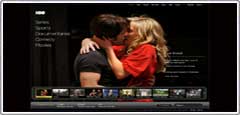
5 | HBO - Home Box Office


Trong tháng 1 năm 2010 HBO relaunched đã thể hiện trên trang web của mình, cách họ có thể, "tạo ra một,  tính tương tác đa dạng trực tuyến điểm đến xứng đáng với thương hiệu HBO" và chúng tôi tin rằng họ đã làm điều đó rất tốt.

6 | Get The Glass


Được thiết kế để khuyến khích tiêu thụ sữa tăng lên bằng cách mời khách tham gia vào một trò chơi giải trí comically dựa trên Flash mà mục tiêu là để Nhận các Glass - của sữa trong khóa học. Các thiết kế hiện hành xuất hiện vào cuối năm 2007.


7 | AgencyNet Interactive
 
Đây là một studio thiết kế có trụ sở tại New York City, NY và Fort Lauderdale, FL có thiết kế trang web hiện hành xuất hiện trong tháng một năm 2010. Hoàn toàn cảnh quan tuyệt đẹp trang web! Chiều sâu và chức năng của trang web vượt xa bất kỳ trang web Flash chúng tôi đã từng gặp


8 | 2Advanced Studios

Đây là một công ty thiết kế tương tác có trụ sở tại Aliso Viejo, CA có thiết kế hiện hành xuất hiện trong tháng tám 2006. 2Advanced đã luôn luôn được biết đến với phong cách thiết kế trang chủ của họ tân-cổ, nhưng thiết kế lại mới nhất của họ mất rằng đến một cấp độ hoàn toàn mới với một bức tranh tường nền đó là thật sự cảm hứng.


9 | Section Seven Inc.
 
Đây là một studio thiết kế trang web có sử dụng sức mạnh của Flash để tạo ra một hệ thống định vị thật sự độc đáo cho phép người dùng tour danh mục đầu tư của họ trong phong cách. trang web hiện tại của họ xuất hiện trên mạng vào đầu năm 2007 và đã nhận được nhiều giải thưởng có uy tín bao gồm cả các FWA.


10 | Dave Werner's Portfolio

Dave Werner  sử dụng kỹ năng Flash của mình không chỉ để thể hiện sản phẩm của mình mà qua việc sử dụng video ông còn cung cấp cho du khách một cảm giác câu chuyện cá nhân của mình mà tìm để cho tiếng nói mạnh mẽ hơn và bối cảnh để làm việc đặc trưng của mình. Phiên bản hiện tại của OkayDave.com đã sống vào giữa năm 2006.